
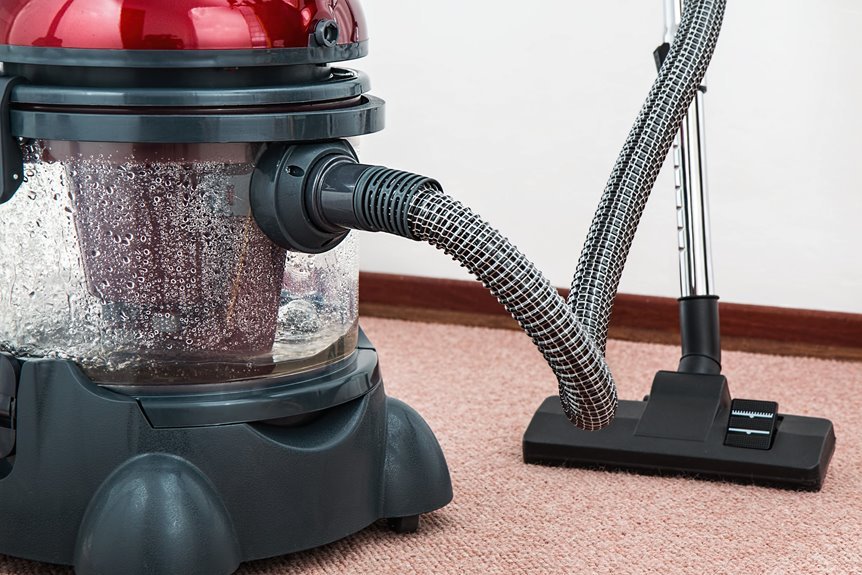

When your vacuum suddenly quits, it can feel like it hit a wall mid-race. If it overheats and shuts off, the cause is usually poor airflow. A full bag, clogged filter, blocked hose, or tangled brush roll can force the motor to work harder and heat up quickly. In many cases, the vacuum shuts off as a protective measure before serious damage occurs. That automatic shutdown often points directly to the underlying problem.
Why Your Vacuum Overheats and Shuts Off
If your vacuum suddenly gets hot and shuts off, it’s usually trying to protect itself, not quit on you. That response often comes from restricted airflow, packed dust, or strain inside the machine. Whenever filters clog, hoses block, or the bin gets too full, the motor works harder and heats up fast. Understanding thermal cutoff basics helps you see this shutdown as a safety feature, not a betrayal.
As airflow problems build heat, neglected care keeps that stress in place. Hair wrapped on the brush roll, loose seals, and long cleaning sessions can all add load. You should also consider power cord safety, because damaged cords or faulty outlets can mimic overheating.
You’re not alone in this. With steady care, your vacuum can stay reliable and part of your routine.
Signs of Vacuum Overheating
You might notice a hot, burning smell before your vacuum shuts down, and that’s often the first warning that the motor is overheating.
If the temperature continues to rise, your vacuum may suddenly lose power as a built-in safety feature activates.
These signs matter because they show that your vacuum needs attention before a minor airflow problem becomes a more serious repair.
Burning Smell Warning
Because a burning smell often appears before the vacuum shuts off, it’s one of the clearest signs that the motor is overheating. If you notice it, take it seriously. You aren’t overreacting. This safety warning often points to clogged filters, packed dust, or debris around the brush roll that’s forcing the vacuum to work harder than it should.
The smell can also signal electrical overheating, especially if it seems sharp, hot, or unusual. In many cases, this happens when airflow is blocked in the hose, wand, or intake. Heat can build quickly inside the machine. If you respond as soon as you notice the odor, you improve the chances of preventing damage and keeping your cleaning routine safe and reliable.
Sudden Power Loss
At the point a vacuum suddenly loses power in the middle of cleaning, it often isn’t dead at all. You’re likely seeing a heat safety shutdown that protects the motor when airflow drops or strain builds. That can feel frustrating, but you aren’t on your own.
To sort it out, check these likely causes:
- Clogged filters, a full bin, or blocked hoses that trap heat and force the motor to work harder.
- Extended use, MAX mode, or the wrong floor setting, which can push the internal temperature too high.
- Electrical issues such as power cord faults or an outlet interruption, which can mimic overheating.
First, unplug the vacuum and let it cool in a ventilated spot. Then inspect airflow paths and power components. If it shuts off again after cooling and cleanup, professional service is wise.
What to Do When Your Vacuum Shuts Off
When your vacuum shuts off, unplug it first. Then check for clogs in the hose, wand, floor head, and intake.
Next, let the motor cool in a well-ventilated area for at least 20 to 30 minutes so it can reset safely.
Once it has cooled, inspect the filters and belt, because a dirty filter or worn belt can cause the vacuum to overheat again.
Check For Clogs
Start with the four most common clog points: the hose, wand, floor head, and main intake. If your vacuum suddenly stops working, a clog is often the cause. These areas can restrict airflow and make the motor work harder than necessary.
- Detach each part and look through it toward a light source.
- Use a broom handle or other blunt tool to gently push out packed dirt.
- Check for hidden debris such as hair clumps, paper, or small toy pieces.
Next, inspect bends, joints, and narrow openings where buildup often collects.
If your model has a clear bin or bag path, check that area as well.
Clearing each blockage helps restore airflow and allows your vacuum to work properly again, so it can continue supporting a clean, comfortable home.
Let Motor Cool
If your vacuum suddenly shuts off, do not panic. That safety stop often means the motor got too hot and is protecting itself. Unplug it right away, then place it in a well-ventilated spot. Give it 20 to 30 minutes, or longer if your manual suggests it. That pause supports cooling safety and helps the machine complete its thermal reset.
| Moment | What you do | How it feels |
|---|---|---|
| It stops | Unplug it | You stay calm |
| It’s warm | Let it rest | You protect your home |
| Time passes | Wait patiently | You’re doing it right |
| It cools | Try again later | You’re back in control |
This step matters after checking for clogs because heat needs time to leave the motor. You are not alone. Every careful pause helps your vacuum recover.
Inspect Filters And Belt
After the vacuum has cooled, inspect the filters and belt before turning it back on. A dirty filter restricts airflow, holds in heat, and forces the motor to work harder. If you notice heavy dust buildup, wash or replace the filter according to the manual, and check for signs of wear.
Next, inspect the belt, because improper tension can strain the brush roll and generate heat quickly.
- Remove the filter and gently tap off loose dust.
- Make sure washable filters are completely dry before reinstalling.
- Inspect the belt for cracks, slack, glazing, or a burnt smell.
Keeping these parts clean and properly fitted helps the vacuum run more efficiently and return to normal use.
Clogged Filters That Overheat a Vacuum
Because your vacuum depends on a steady stream of air to keep the motor cool, a clogged filter can quickly turn a simple cleaning job into an overheating problem. When dust packs into the filter, airflow becomes restricted, and the motor has to work harder than it should.
That extra strain builds heat fast, which is why your vacuum might suddenly shut off to protect itself. The good news is that you aren’t stuck with a failing machine. In many homes, the solution is simple filter maintenance.
If your filter is washable, clean it and let it dry completely before reinstalling it. If it’s worn or disposable, replace it on schedule. Staying consistent helps your vacuum run cooler, last longer, and keep your home feeling cared for.
Check Hoses and Brush Rolls for Blockages
Start with the airflow path. If your vacuum overheats, inspect every hose, wand, and floor head for obstructions. Even a small clog can trap heat and force the motor to work harder. This is a common issue and an easy one to overlook.
- Disconnect the hose and look through it toward a light.
- Use a broom handle gently to push out packed debris.
- Check bends, joints, and intake openings for hidden buildup.
Next, inspect the brush area, because airflow and movement work together.
Hair, string, and thread can jam the brush roll, create drag, and strain the motor quickly. Cut away any wrapped debris, spin the roll by hand, and confirm that it turns freely. This simple check can improve airflow and help the vacuum move more effectively.
How Full Bags Restrict Airflow
Even if the bag does not look full, a vacuum can overheat when fine dust fills the inner layers and restricts airflow. As the vacuum runs, the bag’s fill level affects how easily air moves through the machine. When powdery debris becomes tightly packed, airflow restriction builds up, even if the bag still feels soft.
| Bag condition | What you notice | Why it matters |
|---|---|---|
| Light | Strong suction | Air moves freely |
| Half full | Slight drag | Passage narrows |
| Dust-packed | Warmer body | Fine dust blocks pores |
| Near full | Weak pickup | Airflow drops fast |
| Overfull | Shutoff risk | Heat rises quickly |
That is why your vacuum may seem unusually sensitive when it actually needs attention. You are not alone. Replacing the bag sooner helps your vacuum maintain airflow, clean more effectively, and remain a reliable part of your routine.
Motor Issues That Cause Vacuum Overheating
While airflow problems are the most common trigger, the motor itself can also cause your vacuum to overheat and shut off. Worn parts, failing bearings, damaged windings, or a weak cooling fan can force the motor to work harder than it should.
If this happens, you aren’t alone. Many vacuum owners deal with hidden motor stress that builds heat quickly and can lead to motor failure.
- Worn bearings create friction, so the motor spins less smoothly and runs hotter.
- Damaged windings interrupt electrical flow, causing the motor to draw more power and overheat.
- A weak cooling fan can’t move enough air over the motor, so heat remains trapped inside.
These problems often produce rough sounds, a hot smell, or reduced performance before the vacuum shuts down. If your vacuum acts this way, the motor may need professional attention soon.
How to Prevent Vacuum Overheating
You can usually prevent vacuum overheating with a simple routine that keeps air moving and reduces strain on the motor. Start with regular maintenance. Empty the bin before it gets too full, replace or wash filters on schedule, and let washable filters dry completely before reinstalling them. Check hoses, wands, and floor heads for hidden clogs, and remove hair from the brush roll.
It also helps to use your vacuum in a way that supports long-term performance. Give it short breaks during extended cleaning sessions, avoid maximum suction unless it’s necessary, and choose the correct setting for each surface. Inspect the vacuum for loose seals or cracks that could reduce airflow.
Store it in a clean, dry place when you’re finished, so it’s ready for the next family cleanup.
Frequently Asked Questions
Can Vacuuming Fine Dust Damage Filters Faster Than Normal Debris?
Yes, vacuuming fine dust can clog filters faster than normal debris because the smaller particles pack tightly and build up more quickly. To protect your vacuum, clean the filters and empty the bin more often.
Do Cordless Vacuums Overheat More Often Than Corded Models?
Yes, sometimes cordless vacuums overheat more often, especially when battery heat builds up and motor load increases. However, both cordless and corded models can shut down because of clogged filters, max mode, or extended run times.
Is It Safe to Use Aftermarket Vacuum Filters and Bags?
Yes, you can use aftermarket vacuum filters and bags if you first confirm compatibility and quality. Choose reputable options to help maintain performance. Keep in mind that poor fit, weak seals, or reduced airflow can affect cleaning results and may impact brand warranties.
Can Pet Hair Cause Overheating Even Without a Visible Clog?
Yes, pet homes often need weekly brush roll checks, which shows how quickly pet hair can build up. Even without a visible clog, concealed airflow restriction can occur, putting extra strain on the motor and leading to overheating. You are not alone, and routine cleaning can help.
When Should a Repeatedly Overheating Vacuum Be Professionally Repaired?
Seek professional repair if the vacuum continues to overheat after you have cleaned the filters, cleared clogs, and allowed it to cool completely. Warning signs include damaged cords, burning smells, power loss, or shutdowns after every use.
