
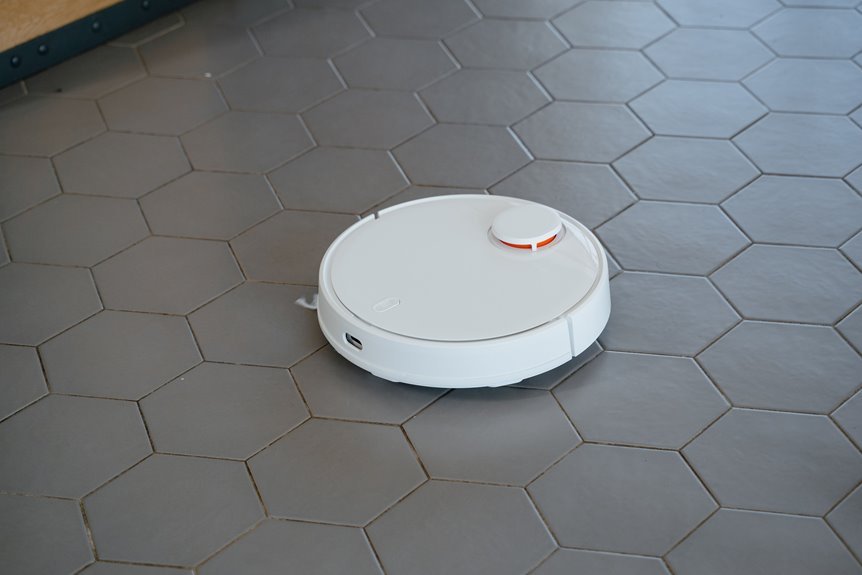

Just when your floors start looking better, your robot vacuum usually needs care too. Empty the dustbin regularly, clear hair from the brushes and wheels, wipe the sensors and charging contacts, and wash or replace the filter on schedule. These steps help it clean better and last longer. Charge it properly and keep its software updated. This helps prevent small issues from turning into costly repairs, and it makes warning signs easier to spot before performance slips.
Empty the Robot Vacuum Dustbin Often
Ideally, you should empty your robot vacuum’s dustbin after every run because a full bin quickly cuts suction and can leave dirt behind on the floor you just cleaned. This simple habit helps your home feel fresh and keeps suction consistent, so each cleanup meets the standard you expect.
If your model doesn’t auto-empty, make bin checks part of your routine. You’ll prevent packed debris, reduce stress on airflow, and improve odor prevention, especially in busy homes with pets or kids.
For bagless docks, empty both the onboard bin and the dock bin so nothing backs up.
Also, check for damp messes, crumbs, strings, or small items before each run. If the manufacturer allows rinsing, wash the dustbin with water, then let it dry fully before putting it back in place.
Clean the Brushes and Rollers
After you empty the dustbin, check the brushes and rollers for tangled hair that can quickly reduce performance. Remove any wrapped debris, wash roller parts only if the manual says it’s safe, and let everything dry completely before reinstalling them.
As you clean, inspect the brush parts for wear or bending, because replacing them on time helps your robot continue picking up dirt effectively.
Remove Tangled Hair
Because hair wraps tightly around moving parts, your robot vacuum can lose pickup power, make more noise, and miss dirt long before the dustbin looks full. To keep it running like part of your home team, check the main brush and side brushes after each run or at least weekly, especially if you have pets or long hair.
Start by turning the robot off and removing the brush roll, if your model allows it. Then pull away wrapped strands and packed lint using the cleaning tool that came with your vacuum and other safe hair removal methods. Work slowly so you don’t nick the bristles.
Next, clear each side brush hub, where tangles often hide. These simple prevention steps help your vacuum move freely, clean evenly, and stay ready for the next family mess.
Wash Roller Components
Rinse brush and roller parts only when your user manual confirms it’s safe, since some models can be washed while others may be damaged by water. After removing trapped debris, wash approved parts with lukewarm water and a small amount of mild soap, if allowed. This helps prevent buildup from sticking and makes roller sanitizing more effective.
Next, shake off excess water and place each piece on a clean towel in a bright, airy spot. Proper component drying is important because even a small amount of moisture can cause odors, mildew, or damage after reassembly. Turn parts halfway through so all sides dry evenly.
If your model includes washable side brushes, clean them the same way. By taking your time here, you help your robot stay fresh, reliable, and ready to care for your shared space.
Check Brush Wear
While your brushes might look clean at a glance, worn bristles and a tired brush roll can still reduce pickup and leave more dirt behind. That’s why your care routine should include a quick wear check, not just cleanup. You’re taking a smart maintenance approach when you catch small issues early.
- Look for bristle fraying on the main brush and side brushes.
- Press the bristles gently to test brush stiffness and spring-back.
- Check for bald spots, cracked fins, or a brush roll that looks uneven.
- Compare wear on both ends, since one side often wears down first.
After washing roller components, this step helps you decide what still works properly. If brushes remain bent, soft, or thin after cleaning, replace them according to your manual’s schedule for better pickup and smoother daily runs.
Check Wheels for Hair and Debris
Even if your robot vacuum looks clean on top, its wheels can collect hair, thread, and dust that gradually reduce movement and interfere with navigation. Regular wheel inspection helps prevent these issues. After turning the unit over, gently spin each wheel and check the axle area. If you find wrapped hair or packed lint, remove it carefully with your fingers or a soft tool.
This simple step supports mobility and helps your vacuum move smoothly through your home.
If you’re already cleaning the brushes, check the wheels at the same time, since both affect how well the robot travels across the floor. Wipe away any grime with a lightly damp cloth as needed, then dry the area thoroughly. Clean wheels help your vacuum stay stable and ready for each cleaning cycle.
Wipe Sensors and Charging Contacts
After you’ve checked the wheels, take a minute to wipe the sensors and charging contacts. These small areas do important work. When dust builds up, your robot may miss edges, bump into furniture, or fail to dock. A quick wipe helps it move reliably as part of your home routine.
- Use a dry microfiber cloth to clean camera windows and cliff sensors.
- Buff the metal contacts on both the robot and dock to maintain a steady connection.
- If grime remains, use a barely damp cloth, then dry every surface immediately.
- Add this step to your weekly or monthly maintenance, depending on dust, pets, and how often the robot runs.
This simple habit helps your robot navigate with confidence, return to the dock smoothly, and stay ready to keep your space comfortable every day.
Wash or Replace the Filter
Next, give the filter some attention because it plays a major role in maintaining strong airflow and steady suction. This small maintenance step helps your robot continue performing effectively. Check your manual first so you can confirm the filter type before cleaning it. If the filter is washable, rinse it with water only when the manufacturer approves it, then allow it to dry completely. If it is not washable, replace it. This helps prevent dust buildup from reducing performance.
| Filter type | What you do | Why it helps |
|---|---|---|
| Washable | Rinse and dry fully | Keeps airflow open |
| Disposable | Replace with a new one | Protects suction |
Also, monitor replacement timing, especially if you have pets or a dusty home. A clean filter helps your robot maintain consistent performance every day.
How Often to Clean Each Part
Usually, the easiest way to keep your robot vacuum working well is to follow a simple cleaning schedule for each part. When you stay consistent, your robot feels like part of your home team, not another chore. Always check the manufacturer’s guidelines first, since each model differs slightly.
- Empty the dustbin after every run, especially if your home collects pet hair, crumbs, or dust quickly.
- Clean the main brush and side brushes weekly, or after each use if hair often wraps around them.
- Check and clean the filter weekly, or every 5 to 10 runs, based on your home’s dust level.
- Wipe the wheels, sensors, and charging contacts weekly or monthly, depending on buildup and your maintenance routine.
This routine helps your robot stay ready for busy days.
Charge the Battery the Right Way
To keep your robot vacuum ready for every run, use smart charging habits that protect battery life and support consistent performance.
Follow the manual, keep the robot docked according to the manufacturer’s recommendations, and pay attention to shorter run times that may signal battery wear. It’s also important to keep the docking area clean and the charging contacts free of dust so your vacuum can recharge properly.
Smart Charging Habits
Ideally, let your robot vacuum stay charged on its dock if the manufacturer recommends it. A steady charge helps keep it ready for the next run and supports healthy battery life.
This simple habit helps your robot function as a reliable part of your home. To make charging cycles easier on the battery, follow a consistent routine:
- Recharge after normal cleaning, rather than waiting for the battery to drain completely.
- Avoid leaving it unplugged for long periods unless the manual includes battery storage instructions.
- Monitor runtime changes, since shorter runs can indicate battery wear.
- Use the approved charger so the power supply remains safe and consistent.
Together, these habits help protect performance and keep your robot dependable. When you care for the battery this way, each cleaning session is more likely to be smooth, easy, and ready to go.
Docking Area Care
Around the dock, a little care makes a big difference in how well your robot vacuum charges and returns home after each run. Keep the base on a flat, open surface, and follow your manual so the robot can align properly and charge without issues.
For effective dock maintenance, wipe the charging contacts on both the robot and the dock with a dry microfiber cloth. Clear away dust, pet hair, and crumbs from around the base, since buildup can interfere with parking and reduce charging performance.
If your model includes an auto-empty or mop-washing station, make base station cleaning part of your regular routine to help prevent clogs and odors. Check dock filters or bins as needed if your system uses them.
You aren’t just cleaning a machine. You’re creating a reliable home base your robot can use every day.
Update Software for Better Performance
A quick software update is often one of the easiest ways to help your robot vacuum clean more efficiently and operate with fewer issues. Installing firmware updates can improve routing, battery performance, and mapping accuracy.
As a result, your cleaning routine becomes more consistent, and you and your robot vacuum work better together.
- Open the app each week and check for notifications about new features or fixes.
- Start updates while your vacuum is docked and fully charged, so the process can finish without interruption.
- Review the update details, because they often describe improvements to room mapping, obstacle avoidance, or cleaning paths.
- Enable automatic updates if your model supports them, so you don’t miss simple performance improvements.
This is a small habit, but it helps keep your robot vacuum reliable and up to date every day.
Watch for Signs It Needs Repair
Even with current software and regular cleaning, your robot vacuum can still show signs that it needs more than routine maintenance. If it starts making unusual noises, stopping often, missing rooms, or leaving more debris behind, don’t ignore it. These changes often point to a worn brush, a stuck wheel, a weak battery, or a failing sensor.
You should also watch for repeated error alerts, charging issues, overheating, or a dock that suddenly can’t empty the bin.
When basic maintenance doesn’t solve the problem, check the user manual, inspect the parts carefully, and contact support if needed. Paying attention to these signs isn’t an overreaction. It helps protect a tool that keeps your home clean, comfortable, and welcoming. A quick repair now can prevent a small issue from becoming a larger and more expensive problem later.
Frequently Asked Questions
Can Robot Vacuums Clean Safely Around Pet Accidents or Wet Spills?
No, you should not let robot vacuums handle pet accident hazards or wet spills. Follow wet spill precautions: remove messes first, clear cords and nearby items, then clean sensors, brushes, and bins afterward so your robot continues working safely.
Should I Move Rugs, Cords, and Toys Before Every Cleaning Run?
Yes, you should, even though it feels like extra work. Quick floor prep and obstacle clearing help your robot avoid clogs and tangles, so your cleaning routine stays smoother, safer, and more reliable every run.
How Should I Store a Robot Vacuum During Long Periods of Nonuse?
Store your robot vacuum fully charged in a clean, dry, climate-controlled place. For proper battery storage, check the manual, recharge it periodically, and keep the dock clean. This helps your vacuum stay ready for use.
Do Auto-Empty Docks Need Separate Cleaning and Maintenance?
Yes, you should clean auto-empty docks regularly. Good dock hygiene helps prevent clogs, odors, and charging issues. You should also maintain the filter, check the bin, and inspect components occasionally, so your robot stays reliable and your cleaning routine remains effortless.
When Should I Contact Customer Support Instead of Troubleshooting Myself?
Contact customer support if error codes and resets do not resolve the issue, performance continues to drop after routine maintenance, or parts fail. This helps protect warranty coverage and service options, and keeps you on track.
